OUTLETS
Multi Branch
6
PRINTING
Invoice Customization
6
COMPLIANCE
Zatca Phase 1 - Phase 2
5
TAX
Tax Support and GST Support
6
APP
Progressive Web App
5
BRAND
White Label Support
5
BOOKING
Booking Management
6
INVENTORY
Opening stock import
5
INVENTORY
Double unit features
5
SERVICE
Warranty Guarantee
5
INVENTORY
Low Stock Alert
5
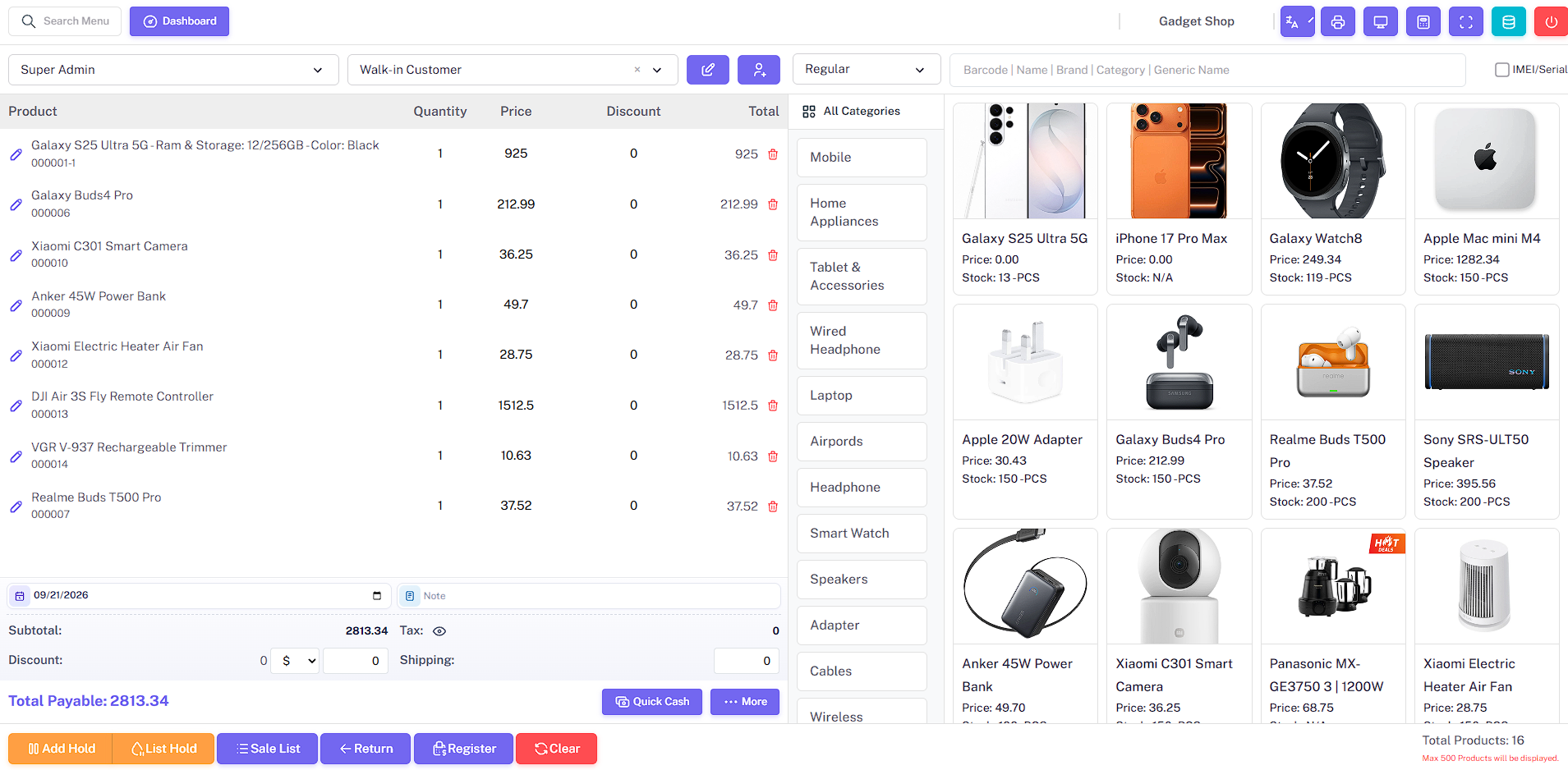
POS
POS
8
PRINTING
Direct Print Support - without using xampp
5
ELECTRONICS
IMEI-Serial wise purchase
6
FASHION
Variation wise purchase
5
SALES
Promotion Discount
5
SALES
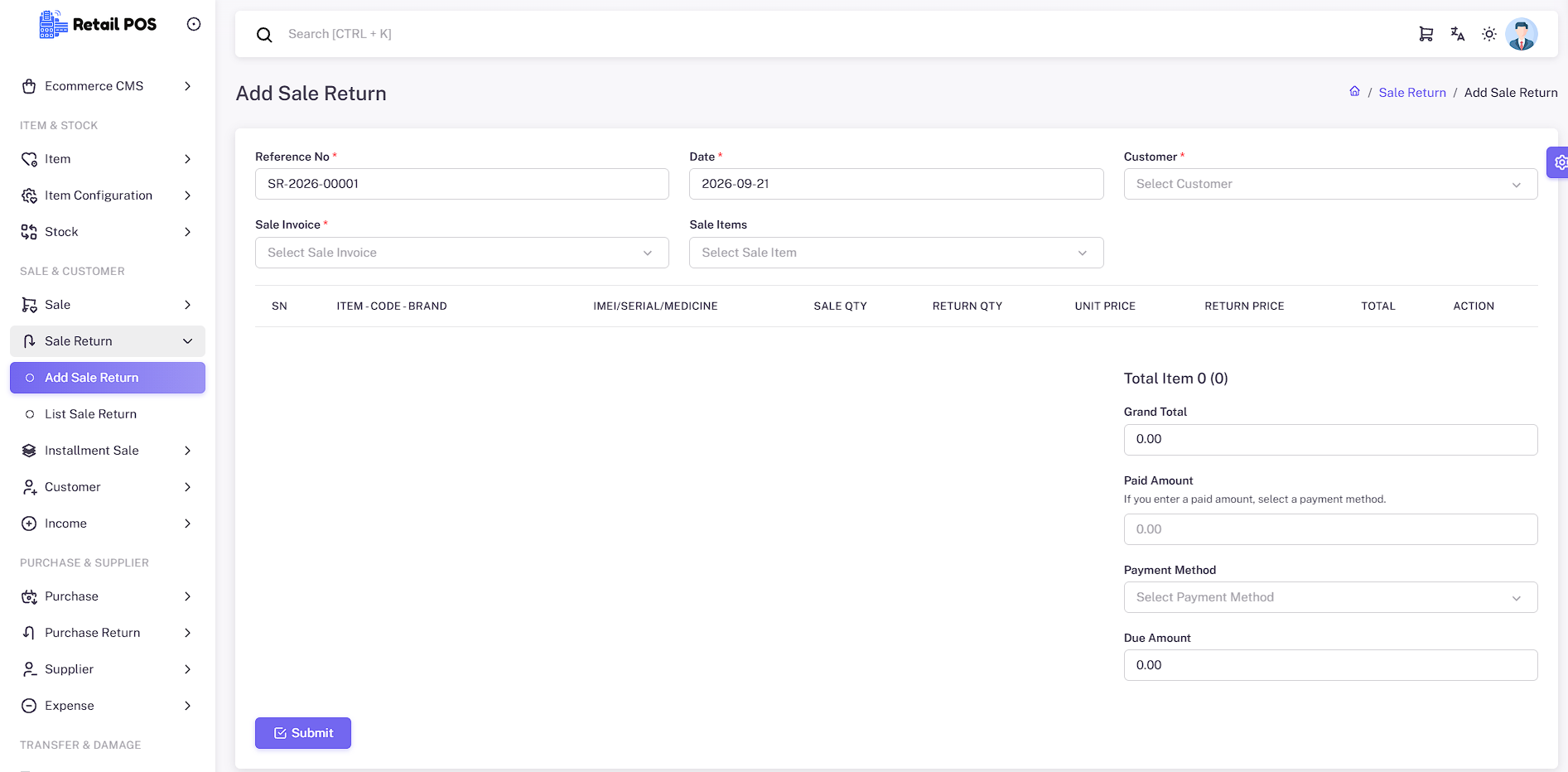
Sale Return
5
SALES
Installment Sale
5
ACCOUNTS
Income
5
PRODUCTS
Combo Product support
5
POS
Customer display
5
SALES
Quotation management
5
SERVICE
Servicing module
5
SERVICE
Warranty claim and warranty checking features
5
CUSTOMERS
Customer due receive management
5
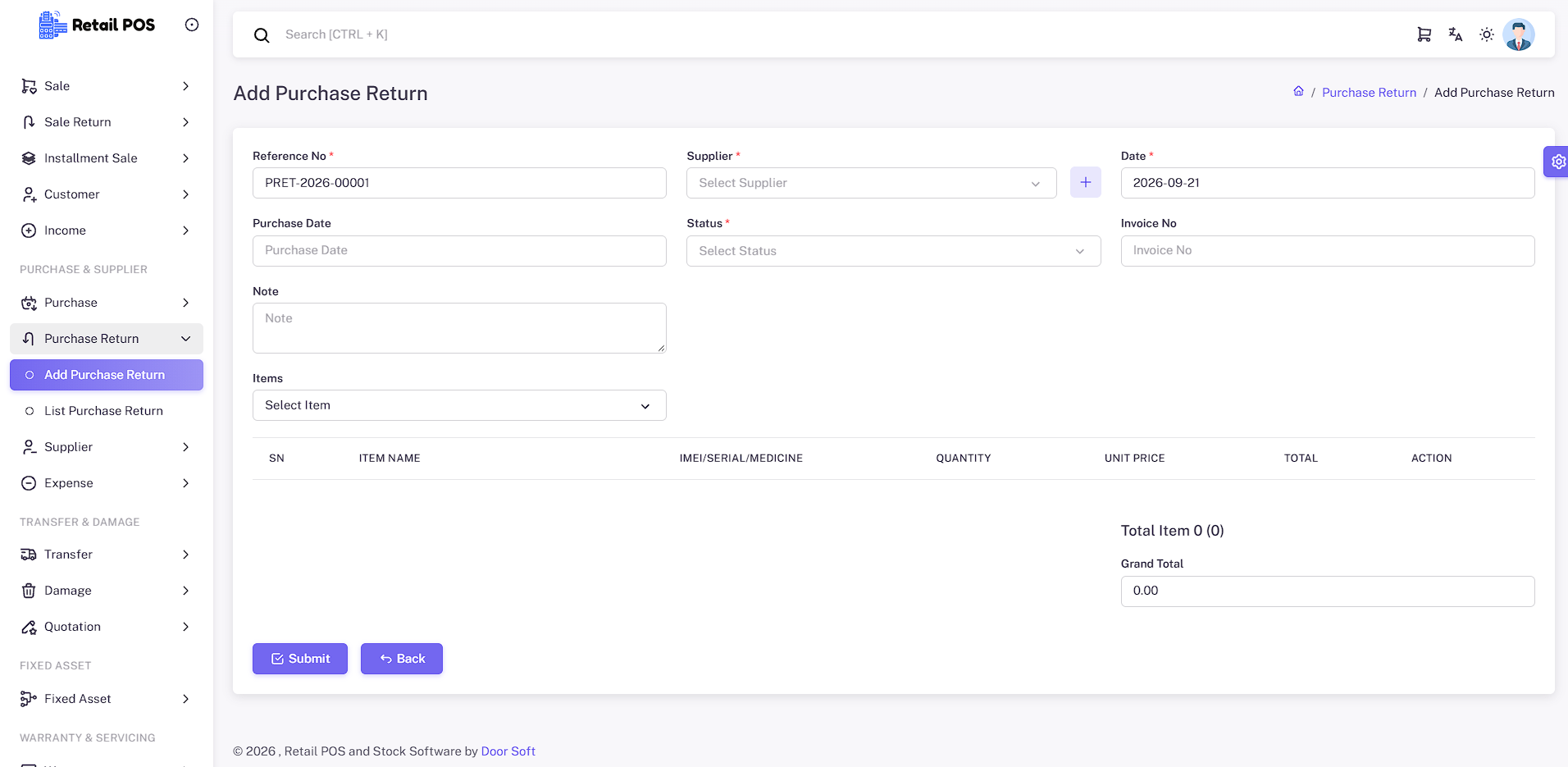
PURCHASE
Purchase Return Management
5
INVENTORY
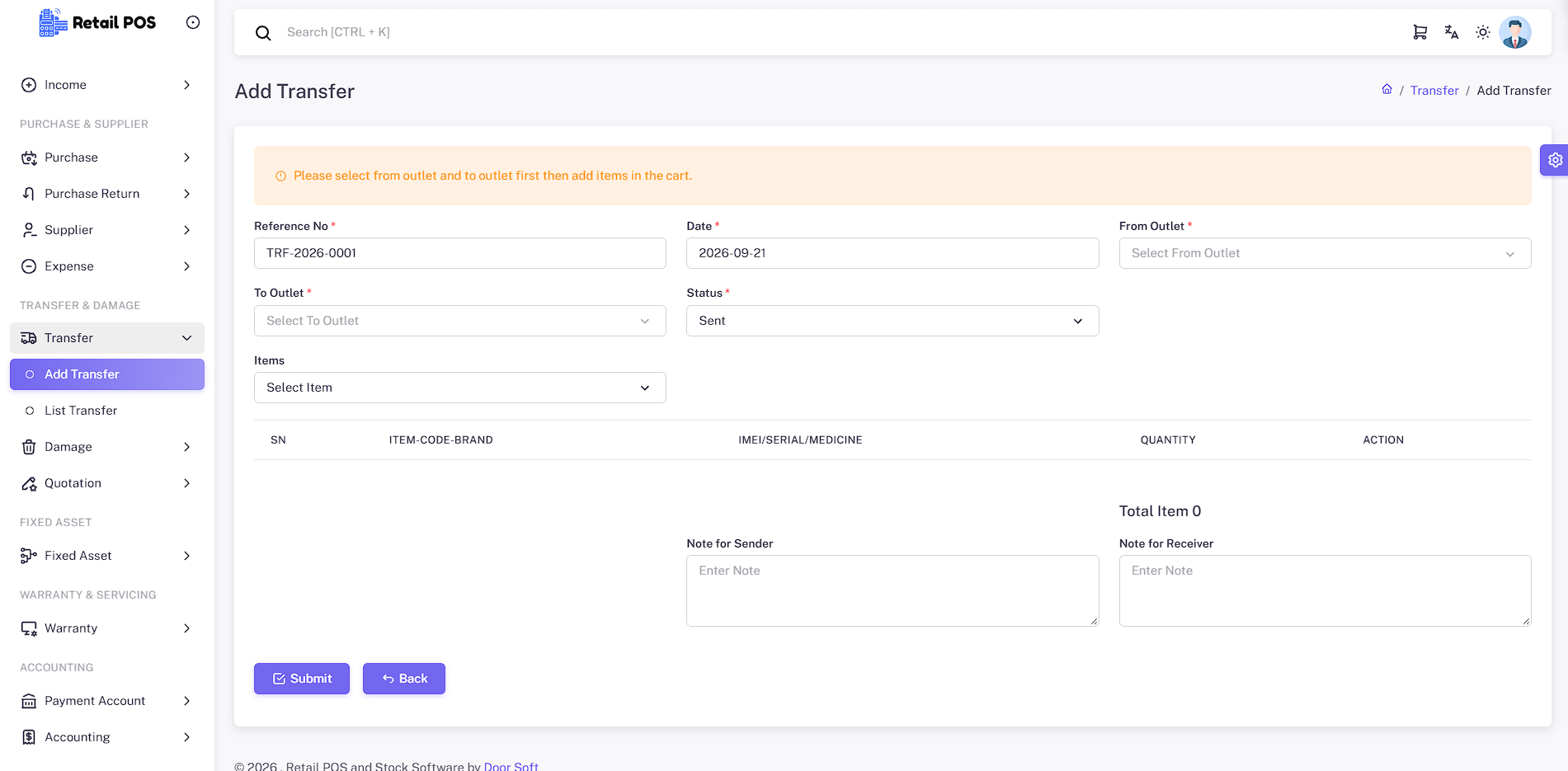
Stock Transfer
5
INVENTORY
Damage Tracking
5
CONTROL
Verification Management
5
CUSTOMERS
Marketing module
5
ACCESS
Role-based permission control
5
HR
Salary Payroll
5
HR
Employee Advance Management
5
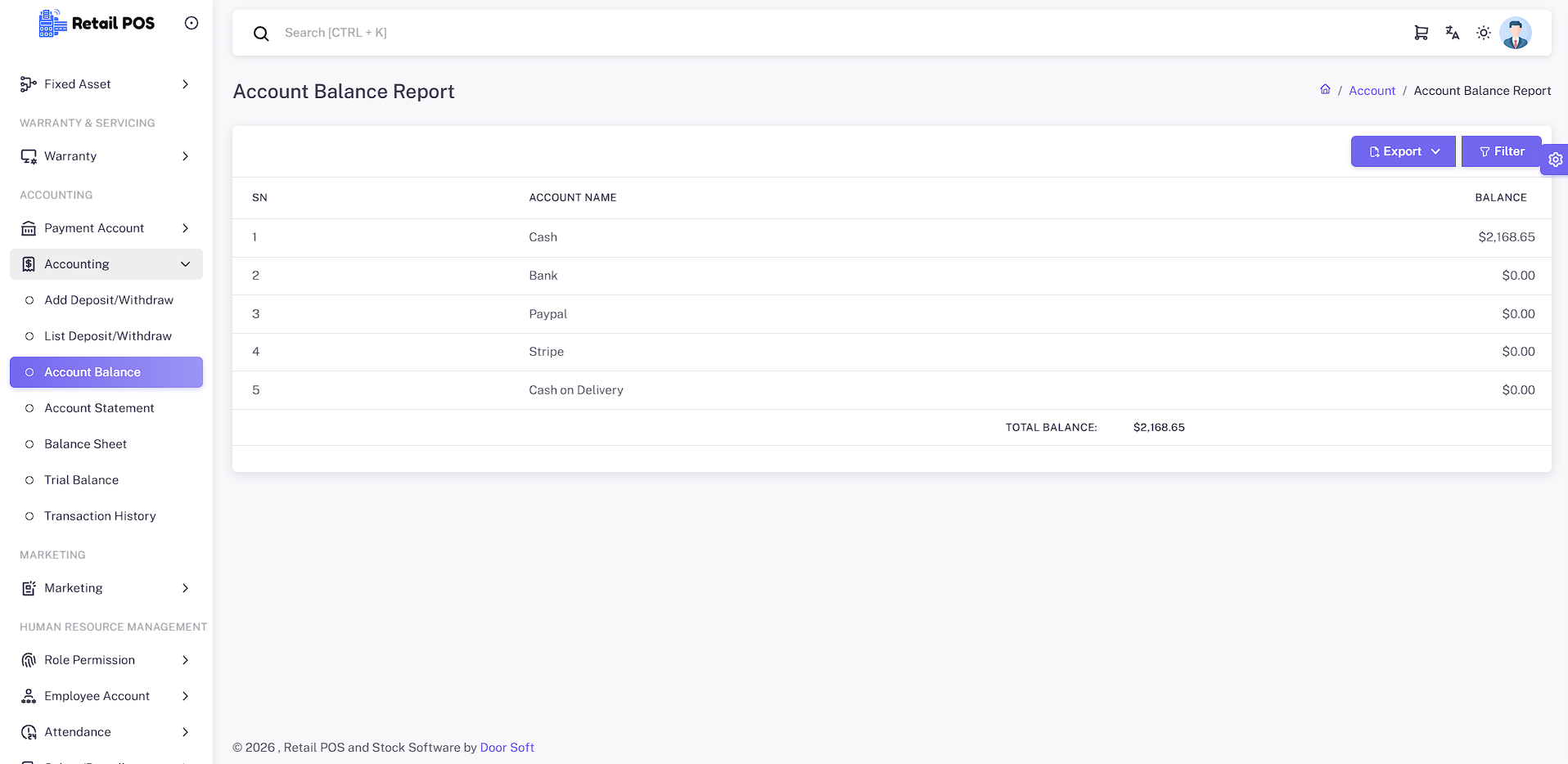
ACCOUNTS
Accounting module - Account Balance, Account Statement, Balance Sheet, Trial balance, Transaction history
7
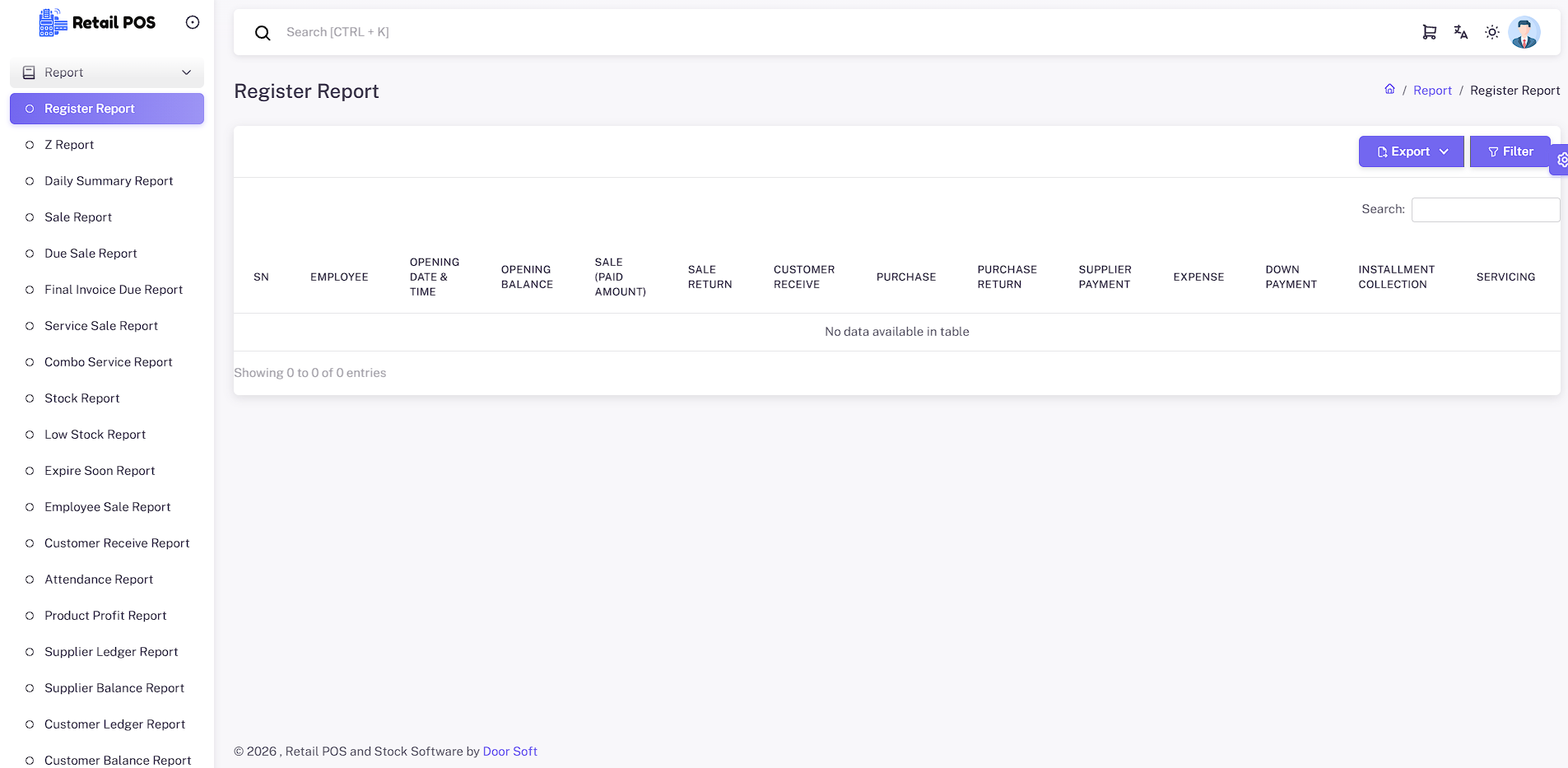
REPORTS
Report module
7
ONLINE
Ecommerce Plugin
6
Run every shop from one system. Each outlet keeps its own stock, sales, users, and reports.
✓
Multiple outlets or branches
✓
Outlet-wise stock
✓
Outlet-wise sales and purchases
✓
Users assigned per outlet
✓
Stock transfer between branches
✓
Outlet-wise reports
PRINTING
Invoice Customization
Print the invoice format your counter already uses — A4, thermal, or a custom layout.
✓
A4 invoices
✓
56mm thermal receipts
✓
80mm thermal receipts
✓
Custom invoice layouts
✓
POS receipt printing
✓
Logo and business details on invoices
COMPLIANCE
Zatca Phase 1 - Phase 2
Saudi e-invoicing support for Phase 1 QR codes and Phase 2 submission.
✓
ZATCA Phase 1 QR
✓
ZATCA Phase 2 submission
✓
Certificate and CSID settings
✓
Tax invoice QR on print
✓
Compliant invoice records
TAX
Tax Support and GST Support
Apply tax or VAT on sales and purchases, including GST-style invoices where you need them.
✓
Tax and VAT on sales
✓
Item-level and order-level tax
✓
GST invoice support
✓
HSN-ready invoice lines
✓
Tax reports
✓
Purchase tax tracking
Install the POS like an app on tablets and counters, including offline-friendly checkout.
✓
Installable PWA
✓
Tablet-friendly counter
✓
Offline product cache
✓
Offline invoice print
✓
Sync when connection returns
BRAND
White Label Support
Show your company name, logo, and favicon instead of the default product identity.
✓
Site name and title
✓
Logo and favicon
✓
Footer branding
✓
Invoice branding
✓
Customer-facing identity
BOOKING
Booking Management
Appointments and service sales for salons and other booking-based businesses.
✓
Services and appointments
✓
Customer booking history
✓
Staff scheduling
✓
Service sales
✓
Booking payments
✓
Customer history
INVENTORY
Opening stock import
Bring existing stock into the system without retyping every product by hand.
✓
Opening stock import
✓
Product-wise opening qty
✓
Cost on opening stock
✓
Outlet-wise opening stock
✓
Stock reports after import
INVENTORY
Double unit features
Sell and purchase in the units your shop actually uses.
✓
Unit management
✓
Double unit conversion
✓
Purchase in one unit
✓
Sell in another unit
✓
Stock kept in base unit
SERVICE
Warranty Guarantee
Attach warranty or guarantee terms to products and trace them from the sale.
✓
Product warranties
✓
Guarantee periods
✓
Warranty on invoices
✓
Customer purchase link
✓
After-sales records
INVENTORY
Low Stock Alert
See what is about to run out before the shelf is empty.
✓
Low-stock alerts
✓
Reorder visibility
✓
Product-wise minimum qty
✓
Outlet-wise stock watch
✓
Stock reports
Fast checkout for barcode, credit, tax, and multiple payment methods.
✓
Fast product search
✓
Barcode scanning
✓
Customer selection
✓
Multiple payment methods
✓
Partial payment and dues
✓
Discounts and tax
✓
Hold and resume sales
✓
Stock-aware checkout
PRINTING
Direct Print Support - without using xampp
Print receipts at the counter without a separate local print stack.
✓
Browser print
✓
Direct thermal print
✓
56mm and 80mm receipts
✓
A4 invoices
✓
Counter-linked printers
ELECTRONICS
IMEI-Serial wise purchase
Track phones, laptops, and electronics one IMEI or serial at a time.
✓
IMEI management
✓
Serial number management
✓
Serial-wise purchase
✓
Serial search at POS
✓
Warranty-ready records
✓
Accurate unit stock
FASHION
Variation wise purchase
Sell size, color, and style as separate stock without mixing SKUs.
✓
Size and color variations
✓
Style and brand options
✓
Variation-wise stock
✓
Variation-wise pricing
✓
POS variation selection
Apply promotions and discounts at the counter without leaving the sale.
✓
Promotion discounts
✓
Item-level discounts
✓
Order-level discounts
✓
Campaign pricing
✓
Discount on invoices
Take a return, put stock back, and keep the customer balance correct.
✓
Sales returns
✓
Return stock in
✓
Refund or due adjustment
✓
Return invoices
✓
Customer return history
Sell on installments with a down payment, a schedule, and due follow-up.
✓
Installment products
✓
Down payment
✓
Scheduled collections
✓
Customer dues
✓
Installment reports
Record income beside sales so daily money movement stays in one place.
✓
Income entries
✓
Payment method split
✓
Cash and bank
✓
Income in reports
✓
Linked business records
PRODUCTS
Combo Product support
Sell a bundle as one item while the parts still come out of stock.
✓
Combo products
✓
Bundle pricing
✓
Component stock deduction
✓
POS combo sale
✓
Combo on invoices
Show the running sale on a customer-facing screen at the counter.
✓
Customer display
✓
Live cart items
✓
Totals on screen
✓
Counter pairing
✓
Clearer checkout
SALES
Quotation management
Send a quote first, then turn it into a sale when the customer agrees.
✓
Quotation management
✓
Customer quotes
✓
Quote to sale
✓
Printed quotations
✓
Quote history
Repair and service jobs for mobile, computer, and electronics workshops.
✓
Service products
✓
Repair customers
✓
Service sales
✓
Service payments
✓
Job history
SERVICE
Warranty claim and warranty checking features
Check warranty on a sold item and record claims without a second system.
✓
Warranty lookup
✓
Claim records
✓
Customer purchase history
✓
IMEI and serial checks
✓
After-sales follow-up
CUSTOMERS
Customer due receive management
Track what customers still owe and receive payments against those dues.
✓
Customer dues
✓
Partial payments
✓
Due receive
✓
Customer ledger
✓
Due reports
PURCHASE
Purchase Return Management
Return stock to a supplier and keep the purchase balance accurate.
✓
Purchase returns
✓
Supplier balance update
✓
Stock out on return
✓
Return invoices
✓
Purchase return reports
Move stock from one outlet to another without losing the count.
✓
Stock transfer
✓
Outlet to outlet
✓
Transfer history
✓
Stock in and out
✓
Outlet stock reports
INVENTORY
Damage Tracking
Write off damaged or lost stock so reports match the shelf.
✓
Damage tracking
✓
Stock write-off
✓
Reason records
✓
Outlet-wise damage
✓
Stock adjustment trail
CONTROL
Verification Management
Verify sensitive actions before they change stock or money.
✓
Verification steps
✓
Controlled updates
✓
User accountability
✓
Safer stock changes
✓
Audit-friendly flow
CUSTOMERS
Marketing module
Reach customers from the same system that already holds their sales history.
✓
Customer lists
✓
Campaign outreach
✓
Sales-based audiences
✓
Contact details on file
✓
Follow-up from POS data
ACCESS
Role-based permission control
Give cashiers, managers, and owners only the screens they should use.
✓
Users and roles
✓
Module permissions
✓
Outlet access
✓
Cashier limits
✓
Admin control
Pay staff from the same books you use for sales and expenses.
✓
Salary and payroll
✓
Employee records
✓
Pay runs
✓
Staff expenses
✓
Payroll history
HR
Employee Advance Management
Record staff advances and recover them against later pay.
✓
Employee advances
✓
Advance balance
✓
Recovery against salary
✓
Staff ledger
✓
Advance history
ACCOUNTS
Accounting module - Account Balance, Account Statement, Balance Sheet, Trial balance, Transaction history
Keep cash, bank, receivables, and payables next to daily POS activity.
✓
Account balance
✓
Account statement
✓
Balance sheet
✓
Trial balance
✓
Transaction history
✓
Customer receivables
✓
Supplier payables
See sales, stock, dues, and purchases without exporting to a spreadsheet first.
✓
Daily and monthly sales
✓
Product-wise sales
✓
Customer-wise sales
✓
Purchase reports
✓
Stock and low-stock
✓
Due and payment reports
✓
Profit-related reports
Sell online and keep storefront stock tied to the same products you sell at the counter.
✓
Online products
✓
Categories and variations
✓
Customer orders
✓
Order status
✓
Stock synchronization
✓
Online and offline sales